Orra Key Pro
Key, Scale, Chords & Sample Matching
Orra Key Pro
Key, Scale, Chords & Sample Matching
Orra Key Pro tells you the key and the scale of any loop, shows you the chord progression it is playing, hands you the chords as MIDI you can drag into your song, and finds the samples in your library that fit. It only listens, so your audio comes out exactly as it went in.
Intro price through October 25, then $29
Mac and Windows. VST3, AU and AAX. A free 14-day demo is built into the plugin, with every feature unlocked. One license activates up to 3 computers.
Secure checkout by Lemon Squeezy
See Orra Key Pro work
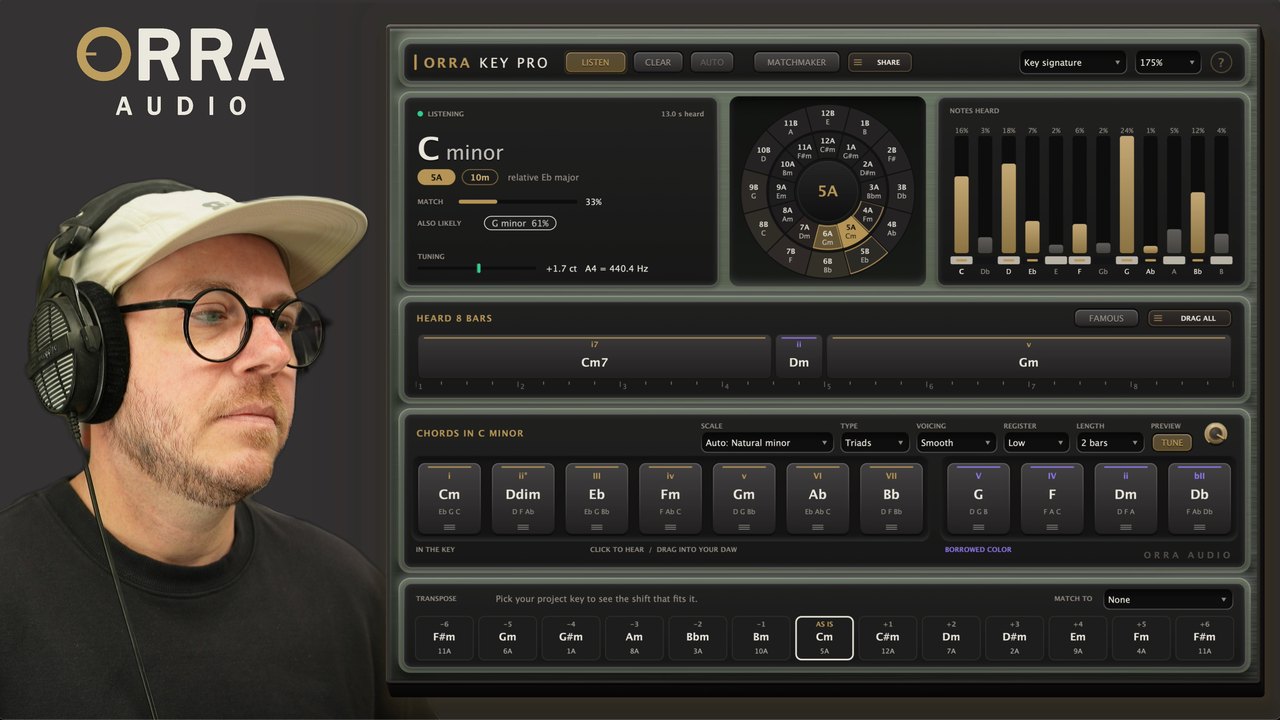
The whole flow: the key and scale, the progression your loop is playing, and Matchmaker pulling the samples that fit it.
Key, scale, progression, library
Press play and watch the key and scale land, the progression strip fill in bar by bar, and Matchmaker rank your folders against the song. Then drag a chord, a progression or a matched sample straight into the session.
More videos & articlesKey detection that reads the scale
Two loops can both read as A minor and still clash, because they are not using the same scale. Orra Key Pro names the scale along with the key, then uses it for everything else: the chords it offers you, the notes it lights up, the numerals on the progression, and the colors in Matchmaker.
Know the key and the scale
Drop it on a loop and press play. In a few seconds you have the key and the scale: not just C minor, but C Dorian or C harmonic minor. With it come the relative key, both DJ codes, a match percentage you can read as a hit rate, and the next most likely keys if you disagree.
Read the progression
Loop a section and press play. Orra Key Pro follows your bars, hears the chord on each beat, and lays the progression out bar by bar. Click a chord to hear it, drag one out as MIDI, or take the whole loop as one clip.
Match your library
Point MATCHMAKER at your sample folders and it reads up to 20,000 files for key, tempo, chords and scale. It ranks them against the song you are writing, previews them in time and in your key, and drags them in as you hear them. Your sample folders, finally sorted by what fits.
Eleven chords you can hear and drag
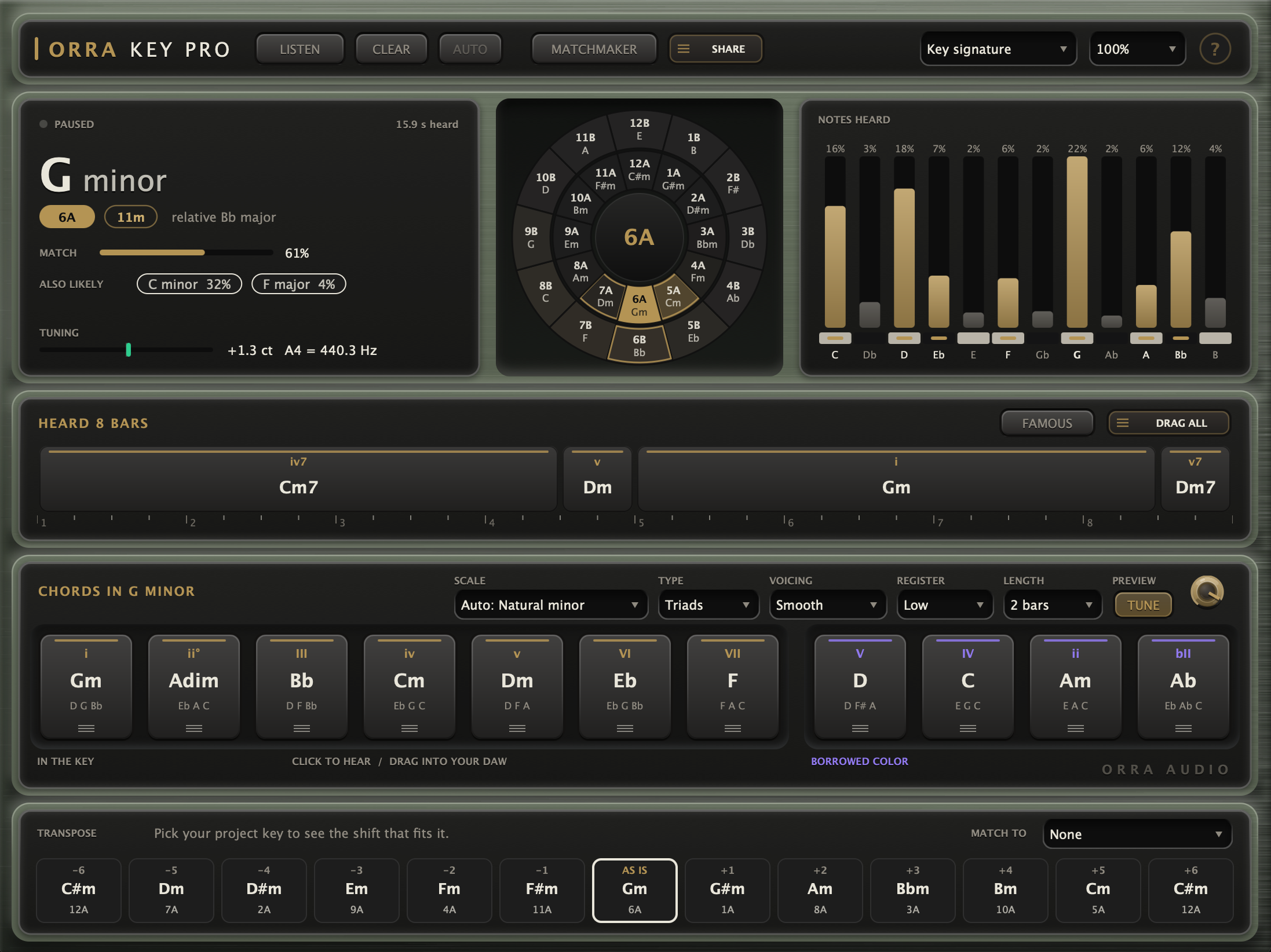
Eleven chords, ready to use: the seven in your scale, plus four borrowed ones producers reach for all the time. Each tile shows its numeral, its name and its notes. Click and hold to hear it on a soft electric piano. Drag it and it lands in your DAW as a MIDI clip at your session tempo.
Change the chord type, the voicing, the register and the clip length to suit the part you are writing. On Smooth, drag chords one after another and they voice themselves to flow, so you are not fixing inversions by hand.
FAMOUS loads classic progressions in your key, ready to hear and drag.
Your sample library, ranked against your song
Add your folders once. Orra Key Pro reads the key, tempo, chords and scale of every file, up to 20,000 of them, then sorts the whole library by how well it fits what you are writing. It only ever reads your files, never changes them.
Judged chord by chord
A loop with clear chords is checked against your key one chord at a time: green where it fits, yellow for a borrowed color, red where it clashes. Enough green and the row reads FITS. One-shots and drum loops are judged on key alone, and the row tells you the shift they would need.
Previews in time and in your key
SYNC locks previews to your bars. STRETCH plays them at your tempo without changing the pitch. IN KEY moves them into your key. LEVEL MATCH plays everything at about the same loudness, so you are comparing samples rather than volumes.
Drag it in as you hear it
Drag a row and the sample lands exactly as it sounded: your key, your tempo, the right number of bars. Drag a single chord out of the waveform for just that slice, hold Shift to get it as MIDI, or Alt for the untouched original file.
A search box that knows music
Type and the list narrows: bpm:118-124, bars:4, key:Am, scale:dorian, type:chords, is:fav. Spellings meet in the middle, so lofi finds Lo-Fi and dnb finds Drum and Bass.
Filters, sorting and stars
Narrow the list by type, tempo, length, favorites or folder, and sort by best fit, name, BPM, length or newest. Star what you like and find it again later. Rows you have already heard dim, so you can filter them out.
It keeps up with your packs
New samples show up on their own. Matchmaker checks for anything added, changed or deleted when it opens and when you come back from Finder or Explorer, and reads only those. Your folders and settings follow you rather than the project, so every Orra Key Pro on the computer shares them.
Everything it does
Zero latency, audio passes through untouched, and everything it finds is saved with your session
Hear It: Key and Scale
The key of what it hears, with its relative and both DJ code systems. A MATCH percentage you can read as a hit rate, and up to two ALSO LIKELY keys you can click to use instead.
Dorian, Phrygian, harmonic minor, melodic minor, Lydian, Mixolydian and Phrygian dominant, read from the notes that decide them. The SCALE menu lets you pick one by hand.
The key wheel shows all 24 keys in two rings, shaded by likelihood, with the keys that mix cleanly outlined. NOTES HEARD shows how much of each note has been heard, and a tuning readout gives the distance from A440 in cents.
The key, and the scale on top of it
Build It: Chords and Progression
Seven chords of the scale in use plus four borrowed from neighboring modes. Seven chord types, six voicings, three registers, clips of 1, 2 or 4 bars.
The PROGRESSION strip lays out the chords your loop actually plays on its bars, with their numerals and the loop length.
FAMOUS loads classic progressions in your key. DRAG ALL gives you the whole progression as one MIDI clip, exactly loop-length and voiced to flow.
Everything drags out as MIDI
Match It: Your Library
Up to 20,000 files read for key, tempo, chords and scale, ranked against your song chord by chord, with search, filters, sorting, favorites and history.
SYNC to your bars, STRETCH to your tempo, IN KEY into your key, LEVEL MATCH for one steady loudness. A waveform strip shows a block per chord, colored by fit.
RENDER drags a sample in as you hear it, written out at your bit depth, sample rate and level, exactly its bars long. Hold Alt for the untouched original.
Sorted by what fits your song
Orra Key and Orra Key Pro
Key names the key and gives you the chords that belong to it. Pro reads the chords your loop actually plays, and matches your whole sample library against your song.
Intro price through October 25.
Orra Key stays free. See Orra Key
Get Orra Key Pro
The key, the scale, the chords your loop actually plays, and the samples in your library that fit your song. Install it and start the free 14-day demo from inside the plugin, with every feature unlocked.
Intro price through October 25, then $29